Capture in seconds
Paste a supplier link, screenshot a booking page or type the details, the destination, hotel, dates, flights and price are pulled out for you.

Product
Turn a holiday into a beautiful, client-ready itinerary in minutes. A fast itinerary and proposal builder for travel agents and operators. Capture a holiday from a supplier, and it becomes a branded, AI-written itinerary you can send as a link or PDF, with options, pricing and client approval built in.
Overview
Itinerary Creator turns the fiddly job of writing up a holiday into a couple of minutes. Capture a trip, paste a supplier link, drop in a screenshot, or type the details, and it pulls out the destination, hotel, dates, board, flights and price for you.
From there it builds a branded, client-ready itinerary: warm, persuasive copy written for you, the highlights, the trip facts and the price. You can present up to three options side by side, control what the client sees, and set your own pricing and margin.
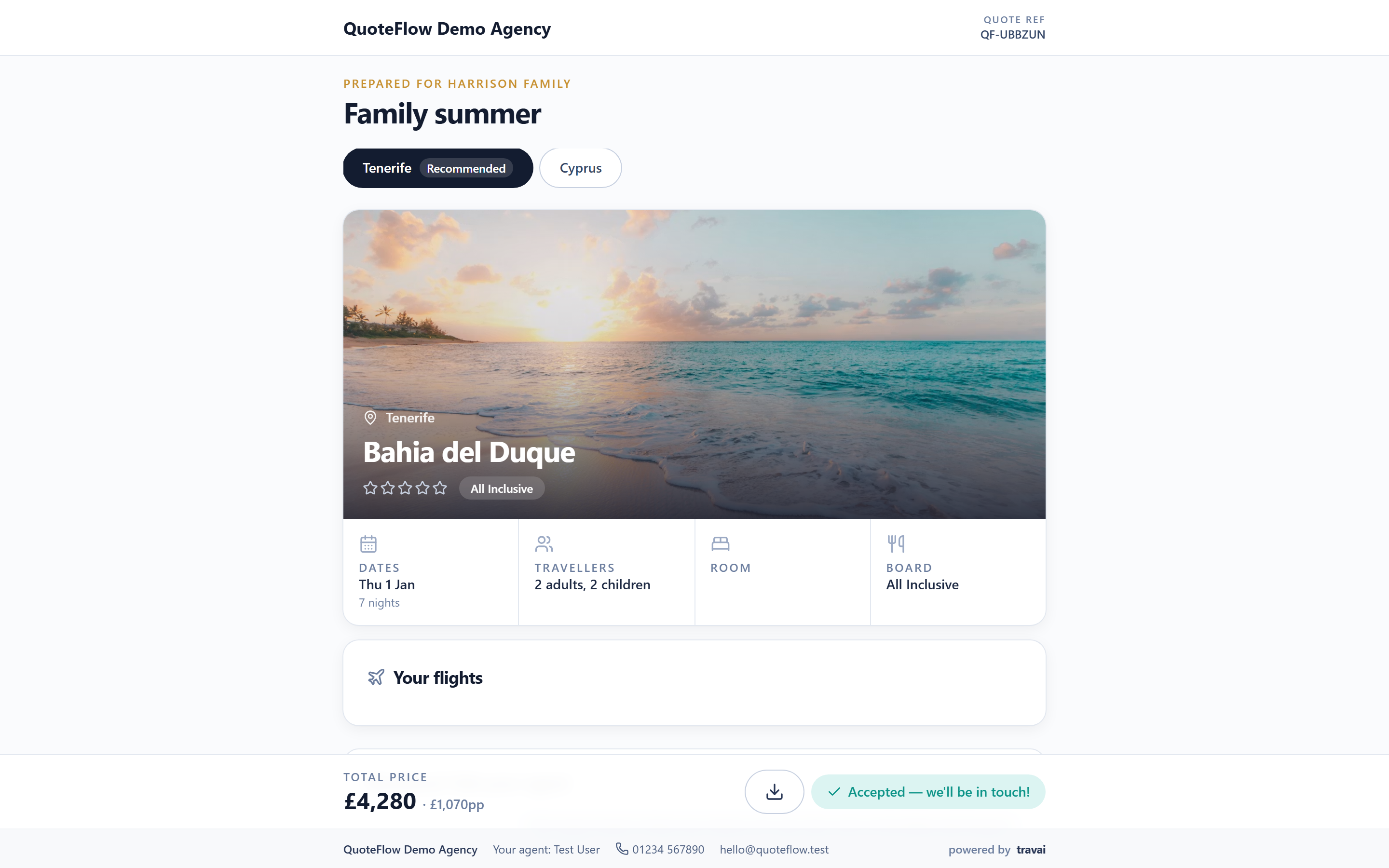
Clients get a beautiful shareable page, your logo, your colours, that they can view, download as a PDF, ask questions on, and approve. You see when they open it, what they choose, and when they say yes.
Highlights
Paste a supplier link, screenshot a booking page or type the details, the destination, hotel, dates, flights and price are pulled out for you.
A warm, persuasive write-up, the highlights and even a social post are generated automatically, tailored to the occasion.
Send a client-ready page and downloadable PDF with your logo, colours and contact details, no design work.
Present up to three options, set your price and margin, and let clients ask questions and approve online.
From link to itinerary
The clever part is the capture. Paste a supplier link, drop in a screenshot of a booking page, or type the details, and Itinerary Creator reads the destination, hotel, dates, board, flights and price, so you are not retyping anything.
Then it does the writing. A persuasive itinerary, the highlights and a social post are generated for you, tailored to the occasion, and wrapped in your branding, ready to send as a link or PDF while the client is still deciding.
Reads holiday details from a supplier link, a screenshot or a quick manual entry, no retyping.
Generates warm itinerary copy and highlights tailored to the occasion, in your voice.
Show alternatives side by side and let the client pick the trip that appeals most.
Every page and PDF carries your logo, colours and contact details automatically.
Clients ask questions in a thread and approve online, you see every view and choice.
Set your price, discounts and margin per option, and raise an invoice once approved.
Manage the client
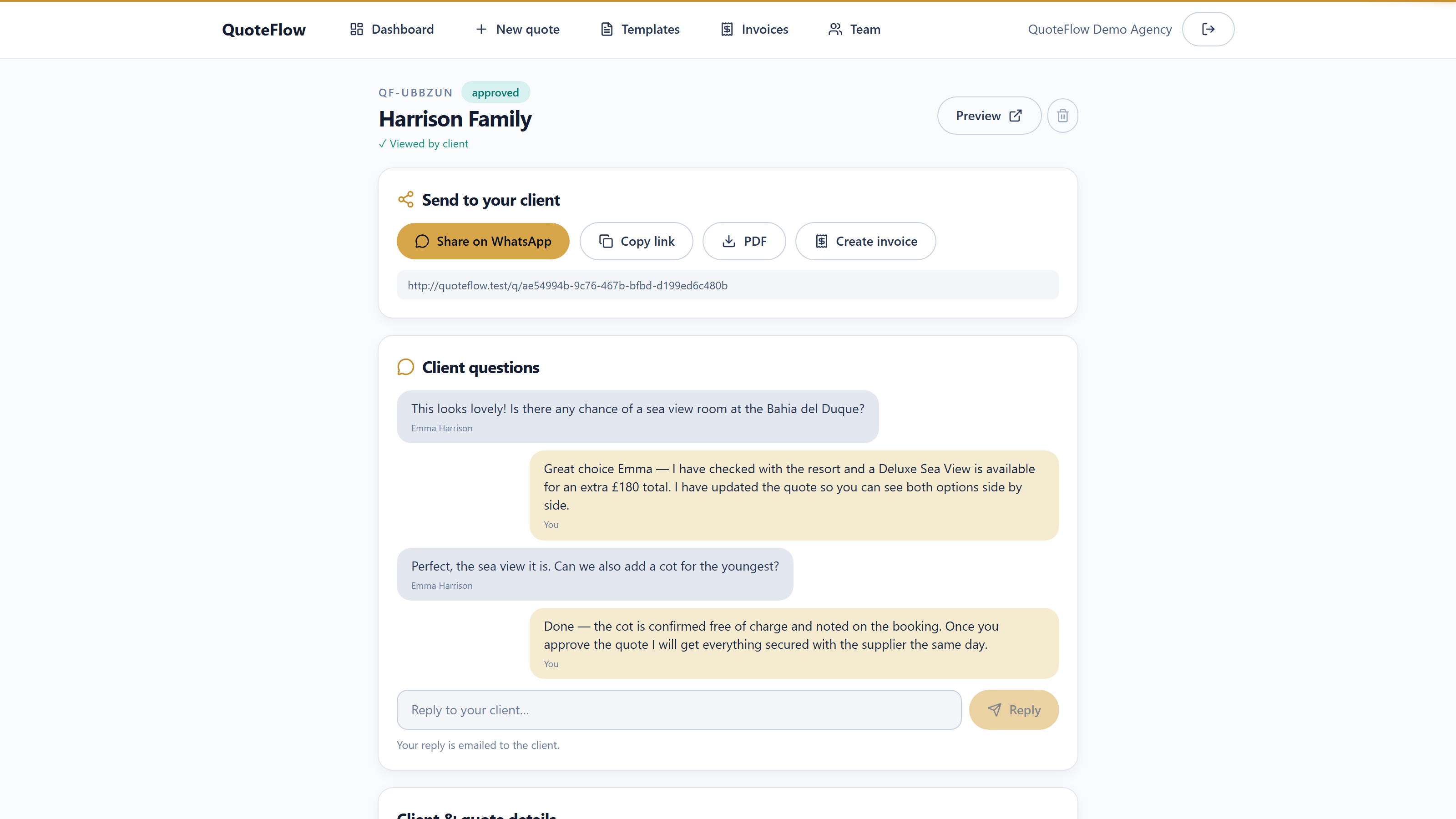
Client questions land right beside the quote they are about, reply in one click, share the link on WhatsApp, download the PDF or raise the invoice without leaving the page.
You can see when the quote was viewed and approved, so follow-ups happen at the right moment instead of by guesswork.
Your pipeline
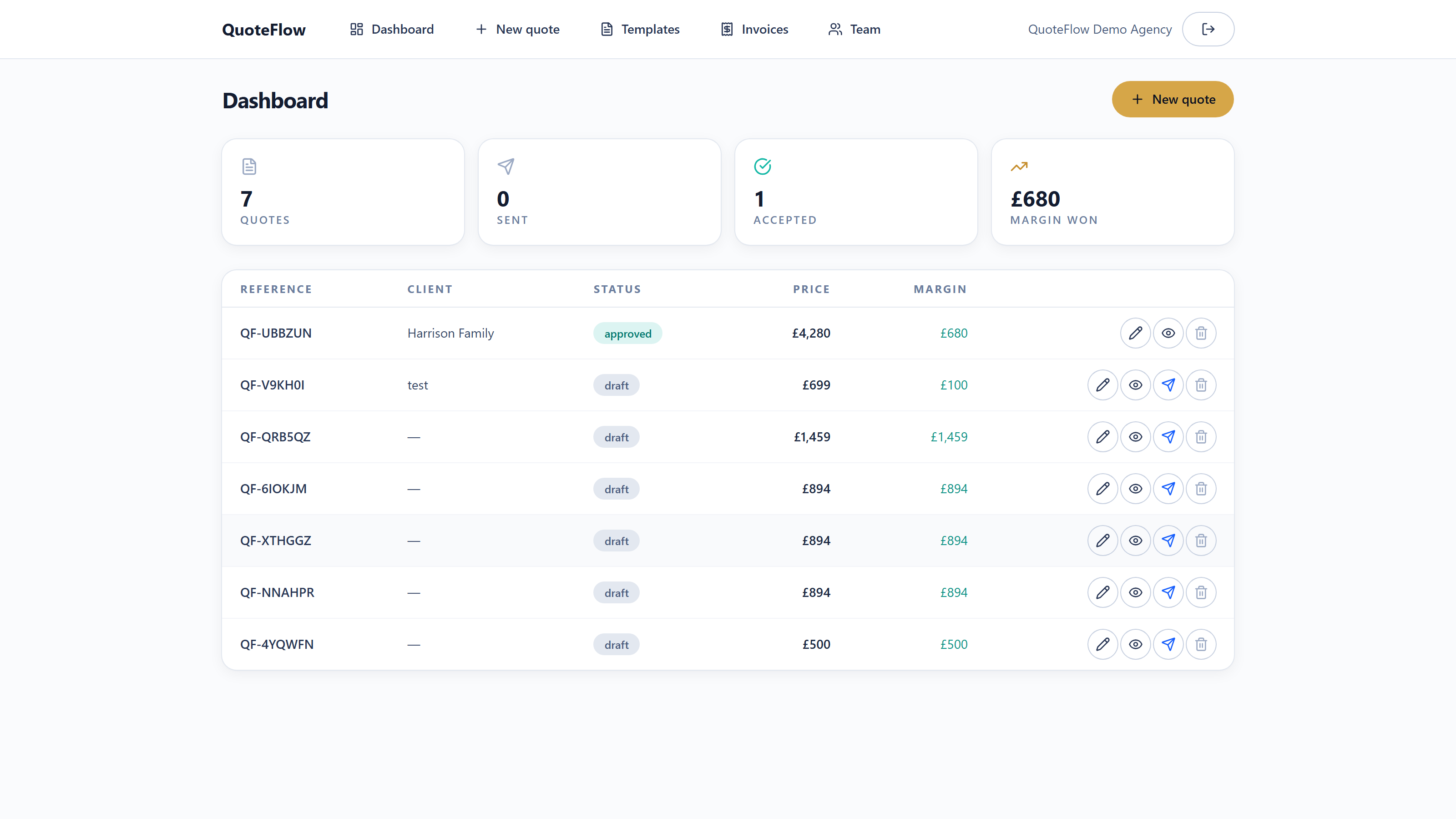
The dashboard shows every quote with its client, status, price and, crucially, your margin, so you always know what the pipeline is really worth.
Quotes won, sent and drafted are totalled at the top; invoicing and commission live one click away.
What is included
How it works
A clear, configured route to getting the product live and working for your brand.
Paste a supplier link, screenshot the booking page, or enter the details, the key facts are extracted for you.
Review the details, add up to three options, and let it write the itinerary copy, highlights and price for you.
Share a client page in your branding and a downloadable PDF, by link, email or WhatsApp.
See when the client views it, answer questions in a thread, and take approval, then raise an invoice.
Use cases
FAQ
Clear answers before the project gets technical.
Next step
Tell us how you sell and operate, and we will show you how this product fits, or shape a bespoke route if that is the better fit.
We use cookies that are essential for this site to work. With your consent, we may also use analytics cookies to understand how the site is used. See our cookie policy for details.